

Your alarm wakes you.
It doesn’t get you out of bed.
Curfew locks the apps that keep you up at night — and keeps them locked until you’ve completed a wake-up mission.

Does this soundlike your morning?
“You hit snooze until you’ve lost count”
Nine minutes at a time, for the better part of an hour. You don’t remember most of them.
“You turn it off in your sleep”
Not snooze — off. You have no memory of doing it, and no way to argue with yourself about it later.
“You set five alarms and beat all five”
Each one a little louder, a little more desperate, and your body has learned to ignore every one.
6:00AM
Alarm
6:05AM
Alarm
6:10AM
Seriously
6:15AM
GET UP
6:20AM
Last one
6:30AM
Actually the last one

All three have the same root. The alarm isn’t the problem — the night before it is.
A better morningstarts the night before
Curfew covers your night from wind-down to wake-up — and your apps only come back once you’ve earned them.

10:30 pm
Before bed
You pick what keeps you up, and at your curfew it goes behind a shield. No willpower required — the choice stops being offered.

3:00 am
While you sleep
The shield holds all night. Open one of those apps and you get a quiet screen counting down to morning, not an infinite feed.

7:00 am
After your alarm
The only way to silence the alarm and get your apps back is a mission that proves you’re actually awake.
Your phonegets a bedtime
Curfew uses Apple’s Screen Time to shield the apps you choose, from your curfew until your mission is done. The same system parents use — pointed at you, by you.
You pick the apps and categories yourself
The shield knows the hour — its screen changes as the night goes on
An optional guard stops you uninstalling Curfew to escape
Nothing you didn’t pick is ever touched

An alarm youcan’t half-answer
Snoozing is a decision you make while unconscious. Curfew takes it away: the alarm keeps coming back until a mission is complete, even if you force-quit the app.
A real alarm, built on Apple’s AlarmKit
Walk away mid-mission and it comes straight back
An optional wake-up check minutes later, in case you crawled back in
14 tones, from gentle to genuinely rude

Four ways to proveyou’re awake
Each is built so it can’t be finished half-asleep, or faked from bed. Different alarm, different mission.

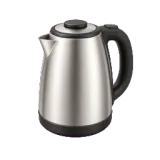
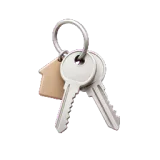
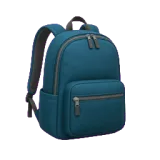
Object Hunt might send you after any of these















The Clock app is free.Here’s what it doesn’t do.
It’s a fine alarm. It rings at the time you asked, which is the entire job it was designed for. The trouble is that ringing was never what you needed.

When it goes off
One swipe and it’s gone. You can do that with your eyes shut, and you have.
It doesn’t stop until a mission is finished — and it comes back if you walk away.
The night before
Nothing. It has no opinion about the two hours you spent scrolling.
The apps that kept you up are locked from your curfew until the morning is won.
When you cheat
Delete the alarm, or just stop setting it. Nobody notices.
Force-quitting doesn’t help; the alarm is armed with the system. Deleting can be blocked too.
Getting out of bed
Entirely your problem.
Push-ups, squats, a photo of your kettle, or arithmetic — you’re standing before it ends.
The ones peopleactually ask

Can I just force-quit the app to escape?
No. The alarm is armed with the system, not with a running app — killing Curfew doesn’t kill the alarm, and the shield on your apps is enforced by iOS itself. You can still delete the app, which is why there’s an optional guard that blocks deletion during a live curfew.
What if I physically can’t do push-ups?
Then don’t pick that mission. Math is the default and needs nothing but your hands and a keypad. You choose the mission per alarm, and you can change it any night.
Do I have to give it Screen Time access?
Only if you want the app lock. Skip it and Curfew is still a mission alarm — you can turn the lock on later from Settings.
Where does the Object Hunt photo go?
To our server for exactly one check, and then nowhere. It isn’t stored on the server, isn’t stored on your phone, and isn’t linked to you. If that still bothers you, every other mission works with no camera and no network.
Which iPhones does it work on?
iOS 18 and up.
Tonight is the nightbefore tomorrow
Set one alarm, pick one mission, and let the phone put itself away.